
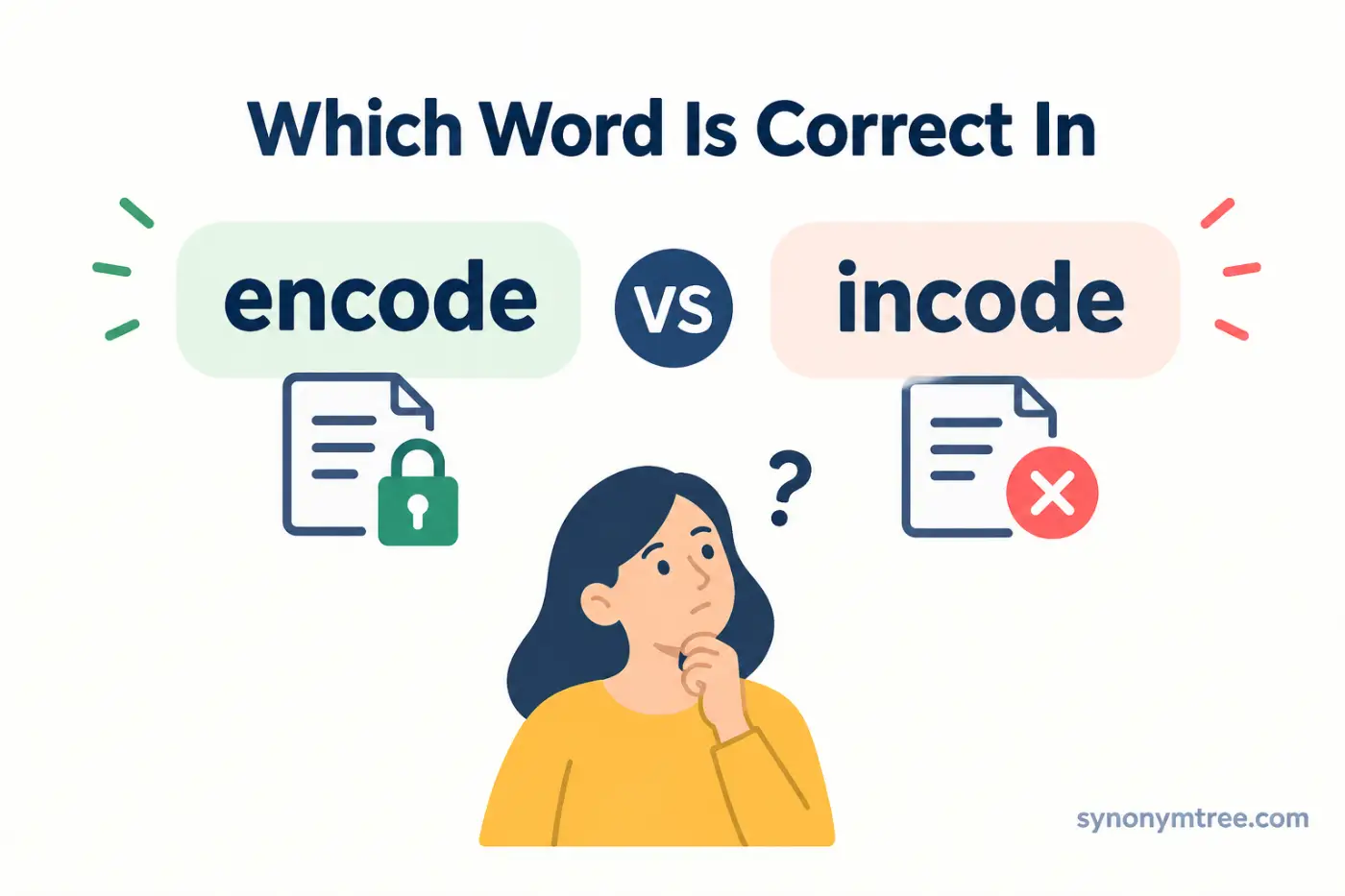
If you are searching for encode vs incode, the correct word in modern standard English is encode. It means to convert information into a particular form, format, or code so a system can store, process, transmit, or understand it.
Incode does not serve as the standard spelling for this meaning. You may find it in rare, specialized, or historical sources, but modern English speakers normally use encode in everyday, professional, and technical writing.
The confusion often starts with the spelling. English contains many words that begin with in, so incode may look like a logical alternative to encode. However, standard usage does not treat the two forms as interchangeable.
This guide explains the difference between encode and incode, shows how to use encode correctly, and explores related terms such as code, decode, encoding, encryption, and compression.
Quick Definition
Encode means to convert information into a code, format, or specific representation. People use the verb across computing, technology, communication, data processing, media, and everyday language.
Incode does not serve as the standard modern spelling for this meaning. When you want to describe the process of converting information into a coded or structured form, use encode.
Direct Answer
Encode is the correct modern word when you mean to convert information into a code or another form that a system can store, process, or transmit. Incode does not serve as the standard spelling for this meaning.
Comparison Table
| Word or Phrase | Meaning | Example | When to Use It |
|---|---|---|---|
| Encode | Convert information into a code or specific format | The program encodes the data before sending it. | Use it when information changes into another representation. |
| Incode | Rare or nonstandard form in most modern contexts | Avoid it when you mean encode. | Do not use it as the normal spelling of encode. |
| Code | A system of symbols or computer instructions | The developer wrote the code for the program. | Use it for a coding system or computer instructions. |
| Decode | Convert coded information into an understandable or usable form | The device decodes the signal. | Use it when coded information moves back into another form. |
| Encoding | The process of converting information into a coded form | The file uses UTF 8 encoding. | Use it for the process or method of encoding. |
| Encoder | A person, program, device, or system that encodes information | The video encoder processes the file. | Use it for something that performs encoding. |
Why Do People Confuse These Words
The spelling creates most of the confusion. The word code appears inside encode, and English uses many prefixes that can attach to other words. Because in appears at the beginning of numerous English words, some writers assume that incode should work in the same way.
Standard modern English does not support that assumption. The established verb is encode.
The prefix en also appears in several English words that describe putting something into a particular state or giving something a certain quality. You can see this pattern in words such as enable and enrich. Encode follows its own established spelling and usage.
The relationship between encode and decode can make the correct spelling easier to remember. When a system changes information into a coded representation, it encodes the information. When the system changes that representation back into a usable form, it decodes it.
Sound can create another source of confusion. In some accents or during fast speech, encode and incode may sound similar enough to cause uncertainty. Writing removes that uncertainty because standard spelling clearly favors encode.
Technical writing makes the distinction even more important. If you write about computer files, video, audio, text, data, communication, or programming, readers expect to see encode.
What Does Encode Mean
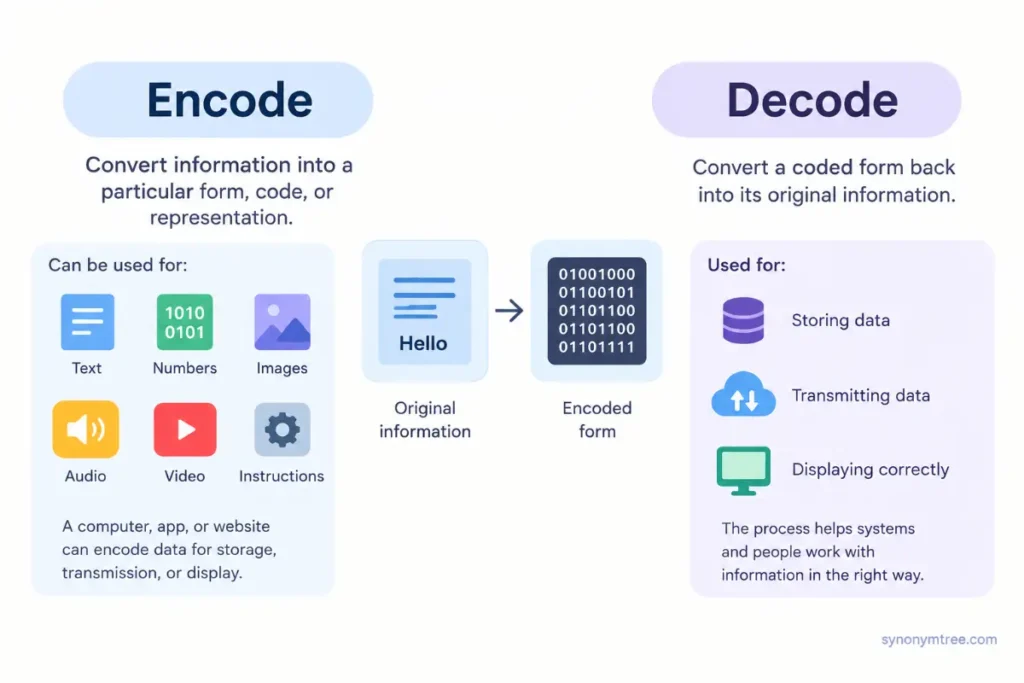
Encode means to convert information into a particular form, code, or representation.
The information can take many forms. It can include text, numbers, images, audio, video, instructions, or other data.
A computer can encode a text message into a format that allows another system to store or transmit it. A video application can encode a recording into a specific video format. A website can encode characters so a browser can display them correctly.
The basic idea stays the same in each example. Information starts in one form, and a person or system changes its representation for a specific purpose.
Consider this sentence.
The software encodes the video before uploading it.
The software takes the original video information and converts it into a format suitable for storage or transmission.
Now consider another example.
The system encodes the text using UTF 8.
Here, the system uses a character encoding system to represent the text. The process helps compatible systems store and interpret the characters correctly.
People can also use encode outside technology. A person can encode information into symbols, signs, or another communication system. In communication studies, encoding can describe the process of turning an idea into a message.
How To Use Encode In A Sentence
Use encode as the verb that describes the act of converting information into another form.
For example, you can write:
The application encodes the file before saving it.
You can also make a person, device, or system the subject of the sentence.
The computer encodes the data automatically.
The camera encodes the video in real time.
The website encodes special characters before displaying the page.
Another useful structure uses encode something into something.
The program encodes the information into a digital format.
The device encodes the signal into a form that it can transmit.
You can also use encode something as something.
The system encodes the value as a series of characters.
The grammar can change slightly depending on the technical context. Still, the central meaning remains the same. One form of information changes into another representation.
Encode In Computing
Computing provides one of the most common contexts for encode.
Computers store and process information through systems that represent data in specific ways. Encoding helps convert information into forms that computer systems can handle.
Text encoding offers a familiar example. A character encoding system tells a computer how to represent characters as data.
UTF 8 serves as one widely used character encoding system. It allows computers and other systems to represent a broad range of characters in digital text.
A web page may use UTF 8 encoding so browsers can display letters, symbols, and other characters correctly.
When a program encodes text, it changes that text into a particular data representation. Another system can then decode the data and recover the original text when it understands the same encoding system.
This process plays an important role in websites, databases, applications, files, and communication between computer systems.
An encoding mismatch can cause text to appear incorrectly. Instead of the expected characters, you may see strange symbols or unreadable text.
The problem usually occurs when one system encodes the information one way and another system interprets it differently.
Encode In Video
Video files also rely heavily on encoding.
A camera or video application takes visual and audio information and processes it into digital data. Video encoding can reduce file size while preparing content for storage, playback, or transmission.
You may encounter terms such as video encoder, video encoding, and video codec.
A codec provides a method or technology for encoding and decoding media. Different codecs use different techniques to represent and compress audio or video.
For example, a video platform may encode an uploaded video into several formats and quality levels. The service can then provide an appropriate version for different devices and internet connections.
The verb encode describes the action. The noun encoding describes the process.
For example:
The software encodes the video.
The encoding process takes several minutes.
Both sentences refer to the same general process from different grammatical angles.
Encode In Audio
Audio also requires encoding.
Digital systems represent sound as data so computers and other devices can store, process, and transmit it. Different audio formats and codecs use different encoding methods.
An application may encode an audio recording into a particular file format before saving it.
You might write:
The program encodes the audio before saving the file.
The recording uses a common audio encoding format.
Audio encoding can also involve compression. Compression reduces the amount of data required to store or transmit the audio.
Still, encoding and compression do not mean exactly the same thing. Encoding focuses on representation, while compression focuses on reducing data size.
Some encoding methods include compression. Other encoding methods simply change the representation without reducing the amount of information.
Encode And Decode
Encode and decode form a closely related pair.
Encode means to convert information into a coded or structured representation. Decode means to convert that representation back into a form that a system or person can understand or use.
For example, one system may encode a message before sending it. Another system can then decode the message after receiving it.
Think of the process this way.
The sender encodes the information.
The receiver decodes the information.
This process does not automatically make the information secret. Systems can encode and decode information simply to make it easier to store, transmit, or process.
That distinction matters because people sometimes treat encoding as a form of encryption. The two processes serve different purposes.
Encoding Is Not The Same As Encryption
Encoding and encryption both transform data, but they solve different problems.
Encoding changes information into another representation. People normally use it for compatibility, storage, processing, or transmission.
Encryption transforms information into a protected form. Its main purpose involves preventing unauthorized people from reading the information.
For example, a system may encode text as Base64. Base64 represents data in a text format, but it does not provide meaningful security.
Someone who knows the encoding method can decode Base64 data without a secret key.
Encryption works differently. It uses a security method and usually requires a key or another authorized method to recover the protected information.
Consider these two sentences.
The application encoded the file before sending it.
The application encrypted the file before sending it.
The first sentence focuses on representation. The second focuses on protection.
That distinction matters in technical writing because calling something encoded does not automatically tell the reader that the information has security protection.
Encoding And Base64
Base64 provides a common example of encoding.
Base64 converts binary data into a text representation that uses a defined set of characters. Applications often use it when a system needs to represent binary information within a text based environment.
An application might encode an image or another binary file with Base64.
The resulting text can look completely different from the original data. However, Base64 does not aim to keep the information secret.
Anyone who understands Base64 can decode the representation.
This example shows the central idea behind encoding. The process changes the representation so another system or process can handle the data more easily.
Encoding And Character Sets
Character encoding represents another major use of the term.
Computers do not store letters in the same physical form that people see on a screen. Instead, systems represent characters as data according to an encoding system.
UTF 8 provides one widely used character encoding for text.
When you save a document with a particular encoding, the system represents its characters according to that encoding method. When another program opens the document, that program needs to interpret the stored data correctly.
A program that chooses the wrong encoding can display the text incorrectly.
A document containing accented letters or characters from another writing system can show strange symbols when the program misunderstands its encoding.
Character encoding therefore matters in websites, databases, documents, applications, and software.
What Does Incode Mean
Incode does not serve as the standard modern spelling of the verb that means convert information into a code.
If you want to write The program in codes the data, use this form instead:
The program encodes the data.
The same rule applies to technical writing.
Incorrect: The application incodes the video.
Correct: The application encodes the video.
Incorrect: The system incoded the message.
Correct: The system encoded the message.
Incorrect: The file was incoded using UTF 8.
Correct: The file was encoded using UTF 8.
The normal modern forms include encode, encoded, encoding, and encoder.
Is Incode Ever Used
You may find incode in unusual sources, historical material, specialized contexts, or references that use different terminology.
An uncommon appearance does not make it the standard spelling for modern general English.
For broad audiences, especially in professional and technical writing, choose encode.
Modern readers who work with computers, programming, media, or data expect to see encode. The form incode can distract readers because they may interpret it as a spelling error.
Clear writing depends on familiar terminology. In most modern contexts, encode gives readers the form they expect.
Encode Vs Code
Encode and code share a connection, but they do not mean the same thing.
Code can refer to a system of symbols, rules, or instructions. In programming, code refers to instructions that tell a computer what to do.
Encode describes the process of converting information into a code or another representation.
For example:
The programmer writes code.
The program encodes data.
These sentences describe different actions.
Consider this example:
The developer wrote code that encodes the image data.
Here, code refers to the instructions. Encodes describes the action those instructions perform.
This distinction helps prevent a common word choice mistake. Code and encode relate to the same general concept, but you cannot normally substitute one for the other.
Encode Vs Encoding
Encode works as a verb. Encoding works as a noun or participle form.
Consider these examples:
The program encodes the data.
The program uses data encoding.
The first sentence describes an action. The second sentence describes the process or method.
Technical writing often uses both forms.
Data encoding can improve compatibility between systems.
The software encodes the data before transmission.
The first sentence discusses the general process. The second describes a specific action.
You will also see encoded in many technical sentences.
The file uses encoded text.
The video was encoded before upload.
The word encoded describes information that has already gone through an encoding process.
Encode Vs Encrypt
The difference between encode and encrypt deserves special attention.
Encode means to change information into another representation. Encrypt means to transform information into a protected form so unauthorized people cannot easily understand it.
Base64 demonstrates the difference clearly. Base64 changes the representation of data, but it does not provide meaningful secrecy.
Encryption focuses on security.
A system can encode a file without encrypting it. A system can also encrypt information and then encode the resulting data for storage or transmission.
The two processes can work together, but they serve different purposes.
When you write about data security, use encrypt when you mean protection. Do not use encode as a substitute for encrypt.
Encode Vs Compress
Encoding and compression also describe different concepts.
Encoding changes how information appears or gets represented. Compression reduces the amount of data required to represent that information.
A video can use a particular encoding method that also compresses the video. However, the terms still describe different ideas.
For example, a program can convert information into another format without making the file smaller. That action still counts as encoding.
A program can also compress data before storing or transmitting it.
The distinction becomes simple once you focus on the goal. Encoding concerns representation. Compression concerns data size.
Common Mistakes With Encode
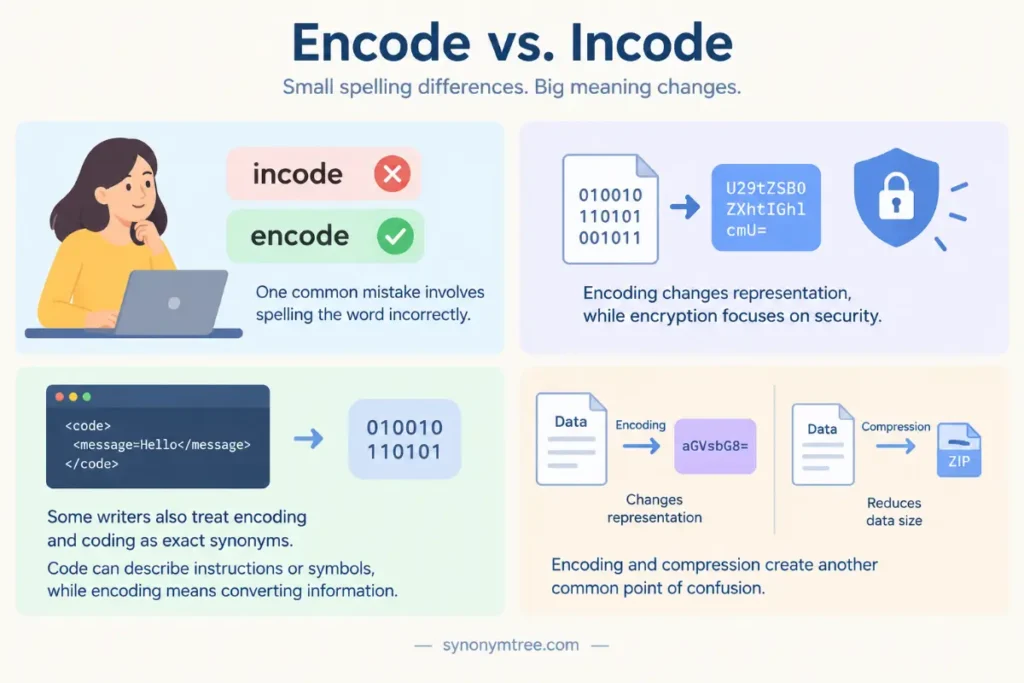
One common mistake involves spelling the word as incode. Modern standard English uses encode for this meaning.
Another mistake involves using encode when the writer actually means encrypt. Encoding changes representation, while encryption focuses on security.
Some writers also treat encode and code as exact synonyms. Code can describe computer instructions or a system of symbols, while encode describes the act of converting information into a particular representation.
Encoding and compression create another common point of confusion. Encoding changes representation, while compression focuses on reducing data size.
Writers sometimes confuse encode with decode as well. Encode moves information into a coded representation. Decode moves that representation back into a usable form.
The easiest way to avoid these mistakes involves focusing on the action. Ask what happens to the information and why.
If a system changes information into a particular representation, use encode. If it converts that representation back, use decode. If it protects the information from unauthorized access, use encrypt. If it reduces the amount of data, use compress.
Real Examples With Encode
The program encodes the data before sending it to the server.
The camera encodes the video in real time.
The website encodes special characters before displaying the page.
The application encodes the text using UTF 8.
The device encodes the audio into a digital format.
The software encoded the file before storing it.
The server encodes the response before transmission.
The video platform encodes uploaded videos into several formats.
The system automatically encodes the information during processing.
The developer wrote a function that encodes the input.
These examples show how naturally encode works in technical and technology related writing.
Real Examples With Decode
The receiving device decodes the signal.
The application decodes the file before displaying it.
The browser decodes the data correctly.
The software decoded the message into readable text.
The player decodes the video before showing it on the screen.
Each example shows the reverse side of the encoding process.
One system can encode information, and another system can decode it.
The two actions can happen at different times or on different devices.
Real Examples With Encoding
The file uses UTF 8 encoding.
The video requires a compatible encoding format.
The application supports several text encoding methods.
The encoding process takes only a few seconds.
Incorrect encoding can cause characters to display incorrectly.
The system automatically detects the text encoding.
The website uses character encoding to display text correctly.
These examples use encoding as a noun rather than as the main verb.
Why The Correct Spelling Is Encode
The standard English word developed around the idea of putting information into a code. Modern English uses the spelling encode for this concept.
You do not need to study the complete history of the word to use it correctly. Standard modern usage has established encode as the normal verb.
English does not always allow writers to create new words simply by attaching a familiar prefix to a root word. A form may look logical and still fail to become standard vocabulary.
The same issue explains why incode can look reasonable even though modern writers normally choose encode.
The practical rule remains simple. When you mean convert information into a coded or structured form, write encode.
How To Remember Encode
A simple memory trick connects encode directly with code.
Encode means put information into a code or coded form.
Think of encode as moving information into a coded representation.
Then connect it with its common partner decode.
Encode means put information into a coded form.
Decode means convert that coded form back into a usable form.
This pair gives you a quick way to remember both words.
You can also connect encoding with familiar technology. Picture a camera encoding video, a computer encoding text, or an application encoding data.
When an action changes information into a format that a system can use, encode usually fits.
When To Use Encode
Use encode when you want to describe the conversion of information into a particular representation.
You can encode text into a character encoding.
You can encode video into a video format.
You can encode audio into a digital format.
You can encode data for transmission.
You can encode information for storage.
You can encode a message into symbols.
The exact method can change from one situation to another. The central meaning remains the same because the process changes how information gets represented.
When To Use Decode
Use decode when information has already gone through encoding and you need to convert it into a usable or understandable form.
A browser decodes information received from a server.
A media player decodes an audio or video stream.
A program decodes a text representation.
A receiving device decodes a signal.
Think of encode as moving information into a representation. Think of decode as moving that information back into a form the receiving system can use.
When To Use Encrypt
Use encrypt when the main purpose involves security.
A company may encrypt customer data.
A messaging application may encrypt a message.
A storage system may encrypt sensitive files.
Encryption aims to stop unauthorized people from understanding protected information.
Do not use encode when security provides the main idea. If someone transforms information specifically to protect it from unauthorized access, encrypt provides the more precise word.
When To Use Compress
Use compress when the main purpose involves reducing data size.
A video application may compress a large video file.
A website may compress images to reduce their file size.
A program may compress data before sending it across a network.
Compression can occur during encoding, but the two terms still describe different actions.
Encode focuses on representation. Compress focuses on size.
How To Choose The Right Word
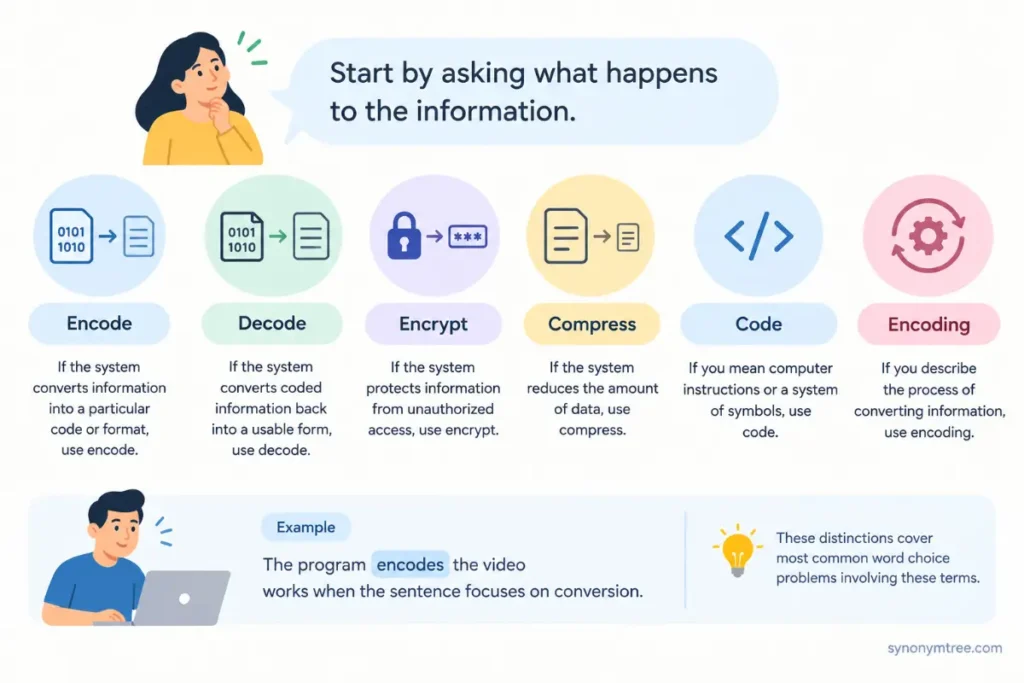
Start by asking what happens to the information.
If the system converts information into a particular code or format, use encode.
If the system converts coded information back into a usable form, use decode.
If the system protects information from unauthorized access, use encrypt.
If the system reduces the amount of data, use compress.
If you mean computer instructions or a system of symbols, use code.
If you describe the process of converting information, use encoding.
These distinctions cover most common word choice problems involving these terms.
For example, The program encodes the video works when the sentence focuses on conversion.
The program encrypts the video works when the sentence focuses on security.
The program compresses the video works when the sentence focuses on file size.
The program decodes the video works when the sentence focuses on converting an encoded representation into a usable form.
Each verb gives the reader a different piece of information.
Conclusion
The answer to encode vs incode is straightforward. Use encode when you mean to convert information into a code, format, or other representation. Incode does not serve as the standard modern spelling for this meaning, so avoid it in normal contemporary writing.
Remember the connection between encode and decode. Encode moves information into a coded or structured form, while decode converts that representation back into a usable form.
Keep encode separate from encrypt and compress as well. Encoding changes representation, encryption protects information, and compression reduces data size. These processes can work together, but they do not mean the same thing.
For a quick writing check, ask what happens to the information. If the system converts it into another representation, use encode. If the system converts it back, use decode. If the main goal involves security, use encrypt. If the goal involves reducing data size, use compress.
When you need to choose between encode vs incode, choose encode.
Common Questions About Encode And Incode
Is encode the correct spelling?
Yes. Encode is the standard modern English verb for converting information into a code, format, or other representation.
For example, you can write, The program encodes the data before transmission. Incode does not serve as the normal modern spelling for this meaning.
Is incode a real English word?
Incode can appear in rare, historical, or specialized sources, but it does not serve as the standard modern verb for converting information into a code.
For normal writing, use encode. This choice works especially well in technical, professional, educational, and general content.
What is the difference between encode and decode?
Encode means to convert information into a coded or structured representation. Decode means to convert that representation back into a form that a person or system can understand or use.
A computer may encode data before sending it, and another computer may decode that data after receiving it.
Is encoding the same as encryption?
No. Encoding changes the representation of information, while encryption protects information from unauthorized access.
For example, Base64 provides an encoding method rather than a security method. Encrypted data requires an appropriate security process and authorized access method.
Is encoding the same as compression?
No. Encoding changes how information gets represented, while compression focuses on reducing the amount of data required.
An encoding method can include compression, but the terms still describe different concepts. This distinction matters in technical writing.
What does encode mean in computing?
In computing, encode usually means to convert data into a particular representation or format that a system can store, process, or transmit.
Text, images, audio, video, and other types of data can all undergo encoding. The exact method depends on the information and the system that handles it.
Should I say encode data or encode the data?
Both forms can work. The choice depends on the context.
You can write, The program encodes data before transmission when you speak about data generally. You can also write, The program encodes the data before transmission when you refer to specific data.
What is the noun form of encode?
The common noun form is encoding. It describes the process of converting information into a particular representation.
For example, you can write, The encoding process took several minutes. Encoded describes information that has already gone through the encoding process.
